MyVikingJourney: Complete Guide to Viking’s Online Cruise Portal
MyVikingJourney is the official online portal and app for Viking cruise passengers. It is where you manage your upcoming voyage — from making payments and booking shore excursions to selecting dining preferences and checking your itinerary. If you have booked a Viking river cruise, ocean cruise, or expedition cruise, this is your primary pre-trip planning hub.
Quick Reference Table
| Detail | Info |
|---|---|
| Portal URL | myvikingjourney.com |
| Mobile App | Available on iOS App Store and Google Play |
| Who Can Access | Passengers with a confirmed Viking booking |
| What You Need to Log In | Booking number and last name, or registered account credentials |
| Main Functions | Payments, shore excursions, dining, air arrangements, pre-cruise checklist, documents |
| Customer Service | 1-800-2-VIKING (1-800-284-5464) |
| Viking Website | vikingcruises.com |
What MyVikingJourney Is Used For
Once you have a confirmed Viking booking, MyVikingJourney is where you handle virtually everything between booking and boarding. The main functions include:
Booking Management View your full itinerary, cabin assignment, and booking details in one place. Confirm what is included in your fare and what is available as an add-on.
Payments Make your deposit, schedule your final payment, and view your payment history. Viking typically requires a deposit at booking and full payment 120 days before departure. The portal shows your payment schedule and allows you to pay online rather than by phone or mail.
Shore Excursions Browse and book optional shore excursions for each port on your itinerary. Excursions can be filtered by activity level, duration, and type. Popular excursions sell out months before departure, so booking early through the portal is recommended.
Dining Reservations For ocean cruises, the portal allows you to make dining reservations at specialty restaurants on board. River cruise dining is typically open seating and does not require advance reservations.
Air Arrangements If you purchased Viking Air or Viking Air Plus, manage your flight selections and seat assignments through the portal. Viking Air Plus allows you to choose specific flights and request seat upgrades.
Pre-Cruise Checklist The portal walks you through all required pre-cruise steps — passenger information forms, emergency contact details, passport information, and any health or travel documentation requirements. Completing this checklist before departure saves significant time at embarkation.
Travel Documents Download and print your boarding documents, luggage tags, and final cruise documents once they become available, typically 30–60 days before departure.
Silver Spirits Package and Add-Ons Purchase optional packages such as the Silver Spirits beverage package, spa packages, and laundry services before your voyage, often at a lower price than buying on board.
How to Log In to MyVikingJourney

If you have not yet created an account:
- Go to myvikingjourney.com
- Click “Register” or “Create Account”
- Enter your booking number (found in your confirmation email), last name, and date of birth
- Create a password and complete your profile
- Your booking will link automatically to your account
If you already have a Viking account:
- Go to myvikingjourney.com
- Enter your email address and password
- Your upcoming voyages will appear on your dashboard
If you have multiple bookings: All confirmed bookings associated with your account appear on your dashboard. Switch between them using the voyage selector.
How to Book Shore Excursions Through the Portal
- Log in to MyVikingJourney
- Select your voyage from the dashboard
- Click “Shore Excursions” in the navigation menu
- Browse by port — each port stop on your itinerary is listed with available excursions
- Click on an excursion to see full details, duration, activity level, and price per person
- Select the number of passengers and add to cart
- Complete checkout — excursions are charged to your credit card on file or added to your shipboard account depending on your preference and timing
Important: Many popular excursions fill up quickly. Viking recommends booking as soon as your excursion booking window opens, which is typically determined by your fare class and booking date.
Making Payments Through the Portal
- Log in and select your voyage
- Click “Payments” in the navigation
- View your outstanding balance and payment schedule
- Enter payment information — major credit cards and some debit cards are accepted
- Print or save your payment confirmation
If your final payment date is approaching and you have not paid, Viking will contact you by email. Failure to pay by the final payment date can result in cancellation of your booking.
Completing the Pre-Cruise Checklist
The pre-cruise checklist appears in your portal after booking and must be completed before your voyage. Required items typically include:
- Passenger information (full legal name as it appears on passport, date of birth, nationality)
- Emergency contact details
- Passport information (passport number, expiration date, country of issue)
- Health and mobility information
- Travel insurance documentation (if applicable)
- Credit card registration for your shipboard account
Allow 20–30 minutes to complete the checklist the first time. Information saves automatically as you go.
Downloading Travel Documents
Viking releases final travel documents approximately 30–60 days before departure. When documents are available:
- Log in to MyVikingJourney
- Navigate to “Documents” or “Travel Documents”
- Download and print your boarding pass, luggage tags, and itinerary confirmation
- Print luggage tags on heavier paper or cardstock if possible — they need to withstand baggage handling
Viking also mails physical luggage tags to passengers who request them, but downloading and printing from the portal is faster and more reliable.
The MyVikingJourney Mobile App
The app mirrors most portal functionality and is useful for:
- Accessing your itinerary and documents on your phone without printing
- Checking excursion details and your booked activities
- Viewing your shipboard account balance during the cruise (depending on ship and connectivity)
- Receiving pre-cruise updates and notifications from Viking
Download from the Apple App Store or Google Play and log in with the same credentials as the web portal.
Common Issues and Solutions
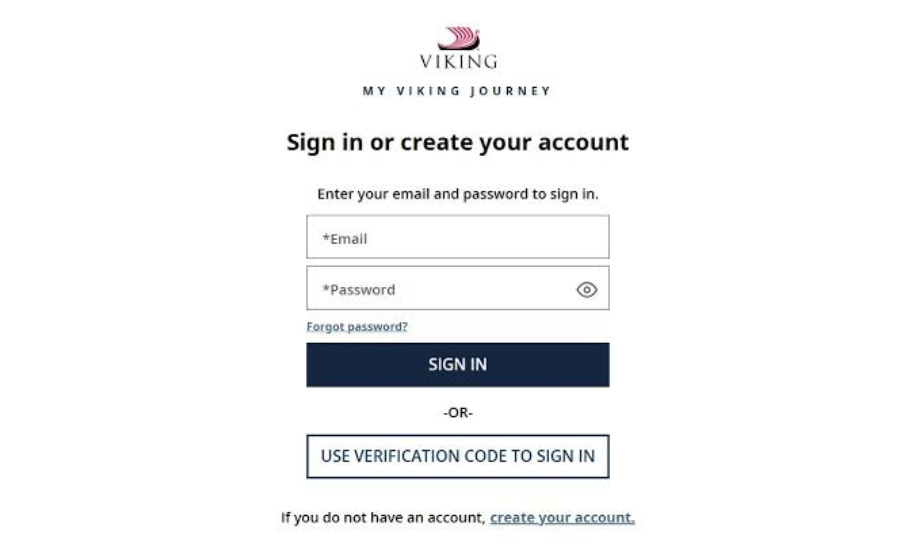
Cannot log in:
- Confirm you are using the email address associated with your Viking booking
- Try the “Forgot Password” link to reset your password
- If your booking was made by a travel agent, contact them — they may have set up the account under their own credentials
- Call Viking at 1-800-284-5464 for account assistance
Booking not appearing after login:
- Confirm your booking is fully confirmed, not just a hold
- If you just registered, allow a few minutes for the booking to link to your account
- Contact Viking customer service with your booking number
Excursions showing as sold out:
- Popular excursions in high-demand ports do fill early. Check back periodically — cancellations do open spots
- Contact your onboard cruise director at embarkation for waitlist options
Documents not yet available:
- Documents typically release 30–60 days before departure. If your departure is more than 60 days away, documents may not be available yet
- Check the portal closer to your departure date
You may also like Sephora Return Policy
FAQ
1. What is MyVikingJourney?
Viking Cruise Line’s official online portal where passengers manage all pre-cruise arrangements including payments, shore excursions, dining reservations, travel documents, and pre-cruise checklists.
2. How do I access MyVikingJourney?
Go to myvikingjourney.com and log in with your Viking account credentials, or register using your booking number and last name if you have not yet created an account.
3. When does the excursion booking window open?
Viking opens excursion booking at different times depending on your fare class and booking date. Check your MyVikingJourney portal for your specific opening date — it is displayed in the excursions section.
4. Can I book shore excursions on the ship?
Yes, but popular excursions often sell out before departure. Booking through MyVikingJourney before the voyage is strongly recommended.
5. When is my final payment due?
Typically 120 days before departure, though this can vary by promotion or booking type. Check the Payments section of your portal for your specific due date.
6. How do I download my boarding documents?
Log in to MyVikingJourney, navigate to Documents or Travel Documents, and download the available files. Documents are typically available 30–60 days before departure.
7. Is there a MyVikingJourney mobile app?
Yes. The app is available for iOS and Android and provides access to most portal features including your itinerary, documents, and excursions.
8. What if my travel agent booked my trip?
Your travel agent may have set up the initial account. Contact them for login credentials, or contact Viking directly with your booking number to create your own account access.
9. Can I cancel shore excursions booked through the portal?
Yes. Excursion cancellation policies vary — most can be cancelled for a full refund up to a certain number of days before the excursion. Check the cancellation terms displayed when you book.
10. What is the Viking customer service phone number?
1-800-2-VIKING (1-800-284-5464). Available for booking assistance, account issues, and general questions.
11. How do I add the Silver Spirits beverage package?
Log in to MyVikingJourney, navigate to Add-Ons or Packages, and select the Silver Spirits Beverage Package. Pre-voyage pricing is typically lower than purchasing on board.
12. What if I have trouble completing the pre-cruise checklist?
Contact Viking customer service at 1-800-284-5464 for assistance. You can also complete checklist items incrementally — the portal saves your progress each time you log in.